Track points are single-point locations of interest. These may include obstacles such as switches, lubricators, crossings, bridges and tunnels as well as checkpoint locations used by the rail grinding application.
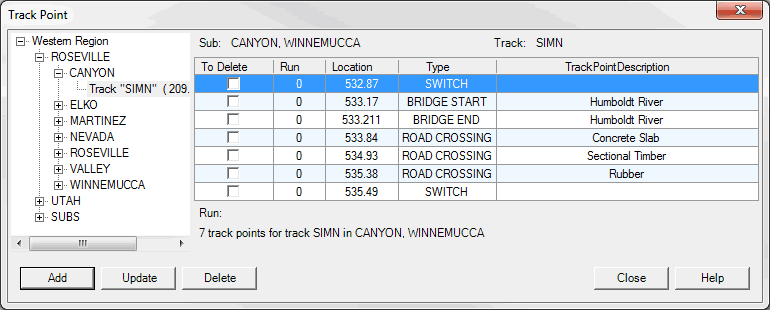
The Track Point Dialog shows all Track Points for a selected track. Track can be selected from the control on the left side of dialog. A list of points is shown in table on the right side of dialog.
Track Point Dialog
Add button opens new dialog to add Track Point to the selected track.
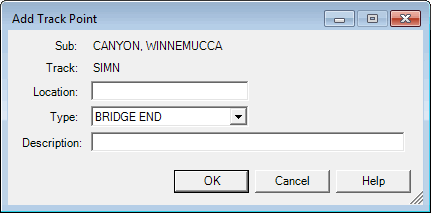
Add Track Point Dialog
Update button opens similar new dialog to modify Track Point information.
Delete button removes Track Points marked To Delete in the table.