 button on the tool bar. The rectangle will be replaced by an arrow connecting the two points. The distance between the points will be displayed near the center of the arrow.
You may draw a measurement between any two points on a profile. Click on the first point using the left mouse button. Holding the button down, move the mouse to the second point, and release it. This draws a rectangle with your start and end points forming two opposite corners. Then click the button on the tool bar. The rectangle will be replaced by an arrow connecting the two points. The distance between the points will be displayed near the center of the arrow.
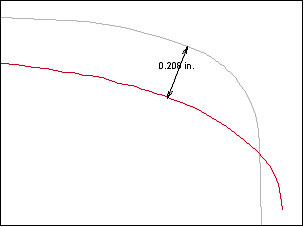
Rail wear measurement drawn with "Electronic Ruler"
To erase all measurements drawn by the electronic ruler, either click the Ruler button again without marking a rectangle, or display a new set of profiles.