This program was developed to export UP geometry data from Rangecam Oracle DB to csv file. Specifically it exports gauge and superelevation. As rule DB has record for each foot. GPS coordinates are calculated for every feet (in DB as rule GPS has interval about 100 ft).
To start a program run a file Export2Vista.exe.
A program has a simple user interface shown below
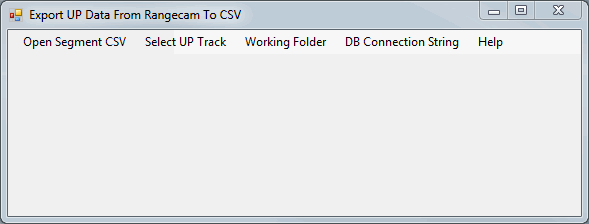
If database was never opened before a user has to set DB connection string. Example of string is shown below:
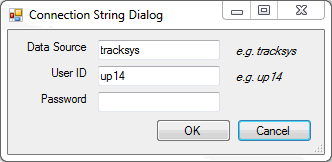
User Id=up14;Password=imi;Data Source=tracksys
Connection string can be set by Connection String Dialog shown below. To open this dialog click menu item "DB Connection String"
If user wants to export only one UP track, he has an option to click Select UP Track and type UP TRK_NBR (open csv match file in MS Excel to see relation between UP segment and TRK_NBR)
It is recommended to set a working folder where program will save data files and logging information.
If error appeared (for example track doesn't exist in database, or connection was not established because of wrong connection string) it is recorded in file error.txt in working folder.
The program generates one file per segment. One segments can have several tracks.
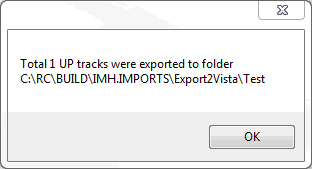
The program automatically starts data export after Open Segment CSV. When all export is done user will get a popup message that informs how many tracks were exported.